The core product
LakeOps
Spring installs after ice-out, fall removals before ice-in. LakeOps keeps every customer, every dock section and every lift on one map, sends the crew out with it, and bills when the work is done.
Starts at $199 a month
Set it up without paying. Nothing is charged until your first season generates work.
Who it is for
- Companies that install and remove docks, boat lifts and shoreline equipment, from one boat and an office person to several crews.
- Shops with a few hundred standing customers whose work is a season on a lake, not an appointment at a street address.
- Owners who want the office and the boats looking at the same list.
What it does
Plan the season
The work is there when the season opens, and you can see it by lake instead of by calendar day.
-
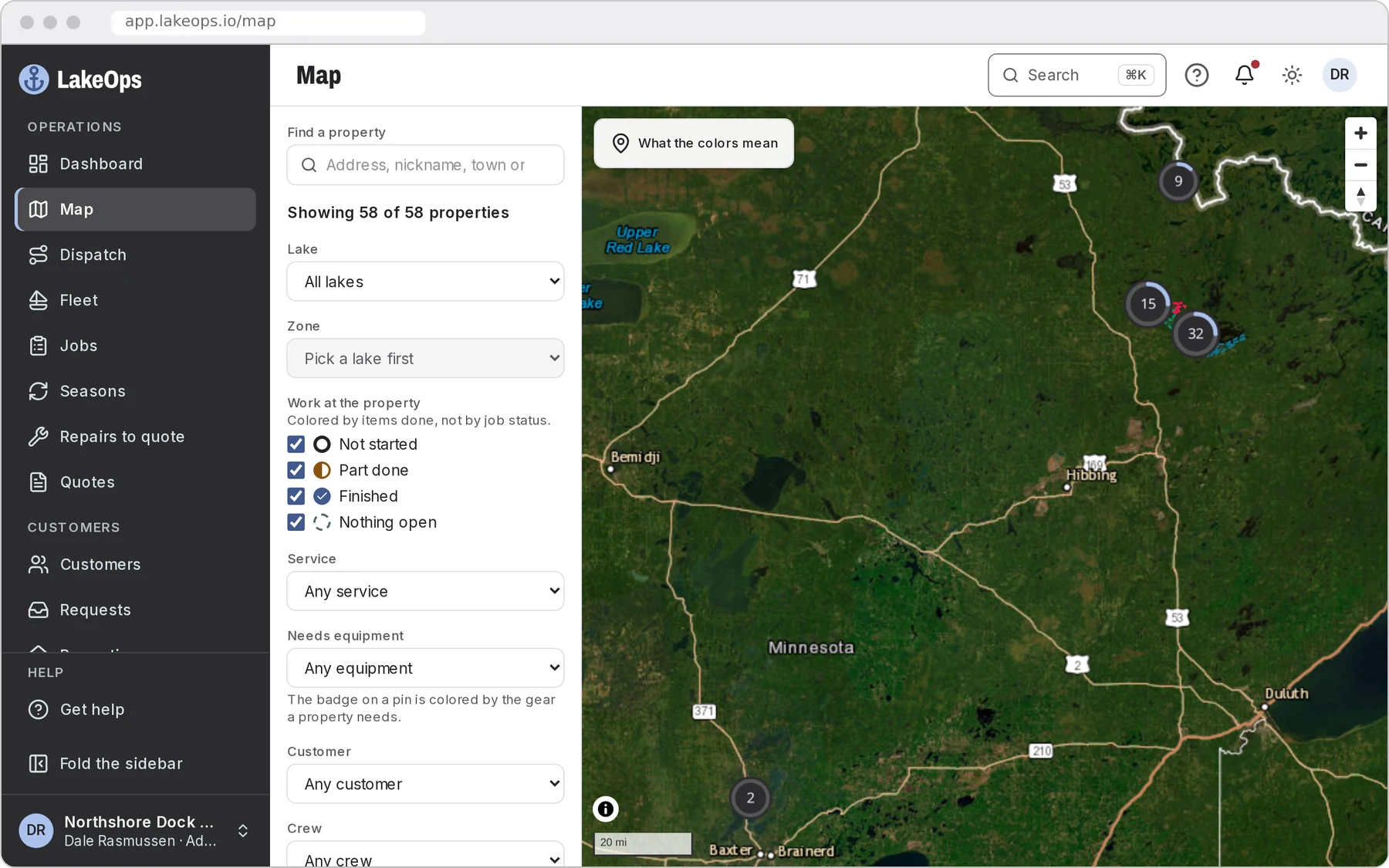
A pin at every dock
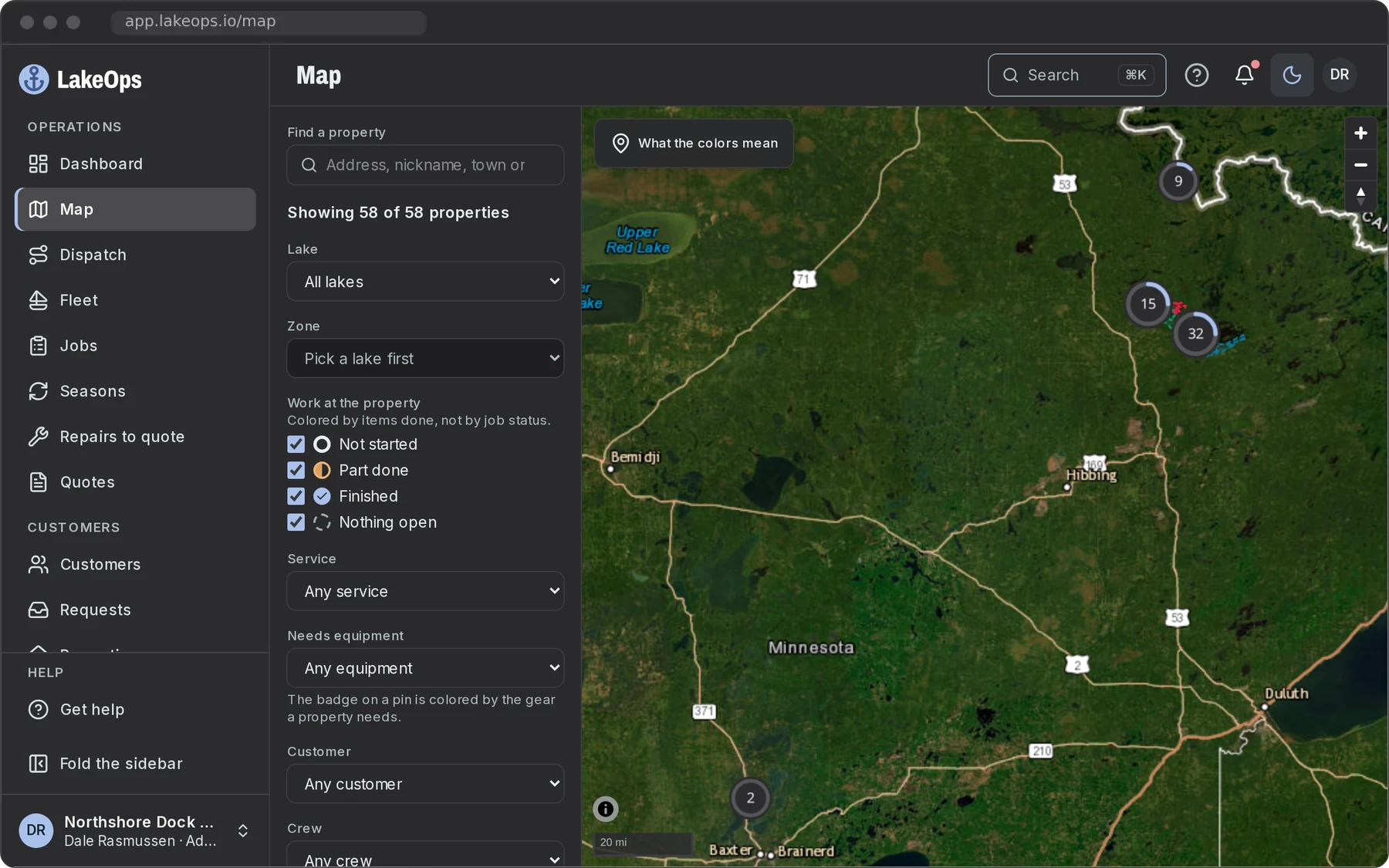
Each property sits on a chart of the lake at the dock itself, with each piece of equipment on it. A pin you move by hand stays where you put it. Reading the map: what every pin color means
-
The season generated for you
Standing service plans create next season’s jobs, install and removal, so nobody retypes April. Each season’s job stays as the record of that season. Opening a season and generating the work
-
Lake by lake
Work the shoreline by lake and bay, with the gear each job needs, and see where the season stands on the map. Working a season lake by lake
Run the day
Crews work from the boat, so the app works when the signal does not.
-
Dispatch a crew to a stretch of shoreline
Point a crew at a stretch of shoreline and they take the open work there. A job is tied to a day only when someone adds it to one. Deploying a crew for the day
-
The crew app and the day pack
The day’s work, the chart and the customer details are on the phone before the boat leaves the landing, and what the crew records goes up on its own when there is signal again. The crew app: what it is and how to open it
-
Every piece has its own line
Each dock section and each lift is marked done by the person who set it, with its own notes and photos, so a half-finished property is plain before the next boat ties up. Why work is tracked item by item
-
Timers and photos
The crew runs a clock on each job and takes photos that stay with the piece of equipment, signal or not. The crew clock: one tap for the whole boat
Quote it, bill it, collect it
There are no invoices to build. A job closes and the customer gets one email.
-
Quotes your customers accept online
Send a quote with each line priced, and the customer accepts it from a link on their phone. What your customer can see
-
Billed when the job is completed
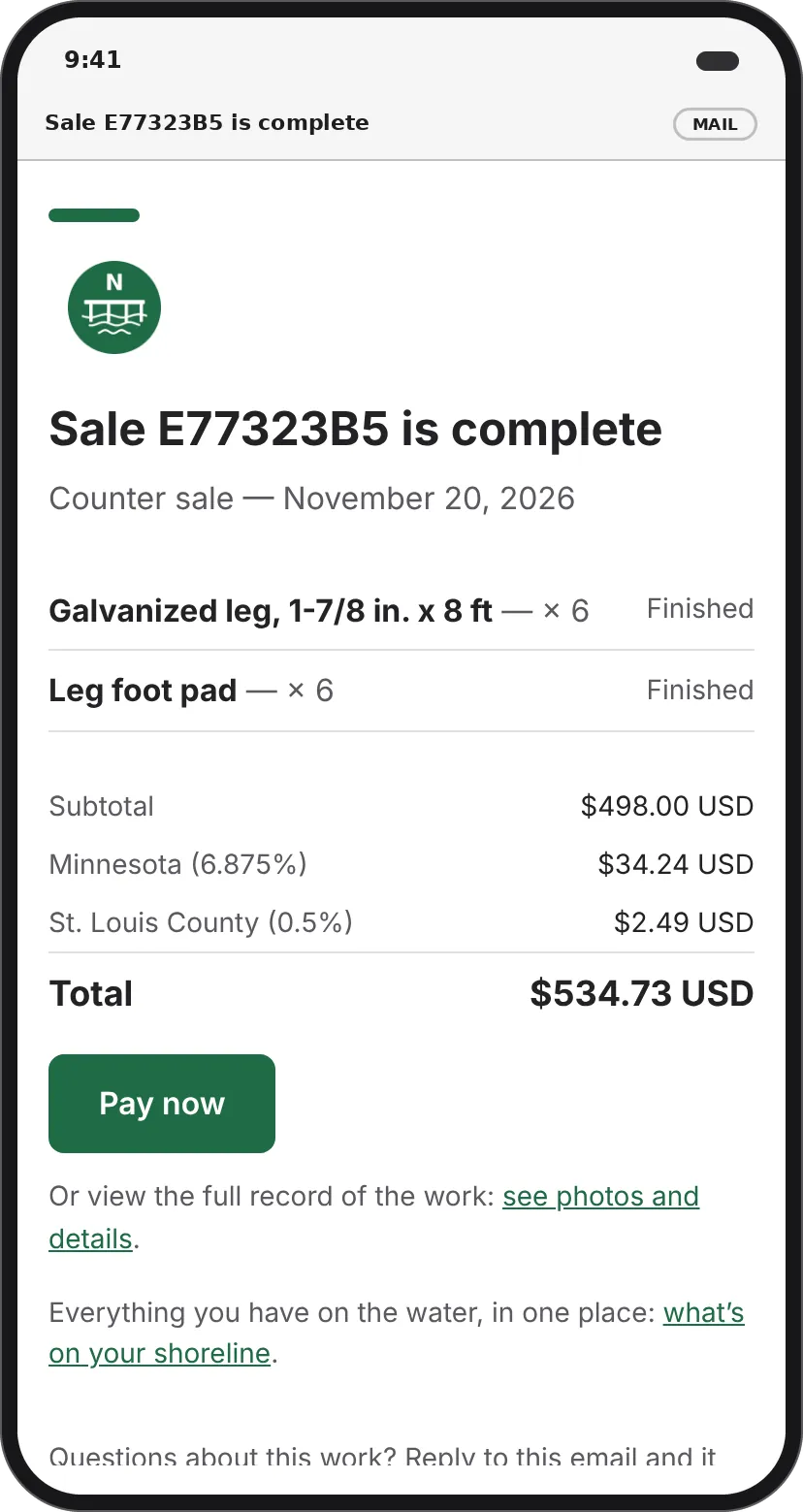
Complete the job, and the customer gets an email with the work, the photos and a link to pay. Turn on LakeOps Payments to take the payment online. Charge on completion: what happens the moment a job closes
-
Statements, reminders and late fees
See who owes you, send a statement, and turn on reminders and late fees to go out on the schedule you set. Who owes you money, and for how long
Put your name on it
Your customers see your company, not ours.
-
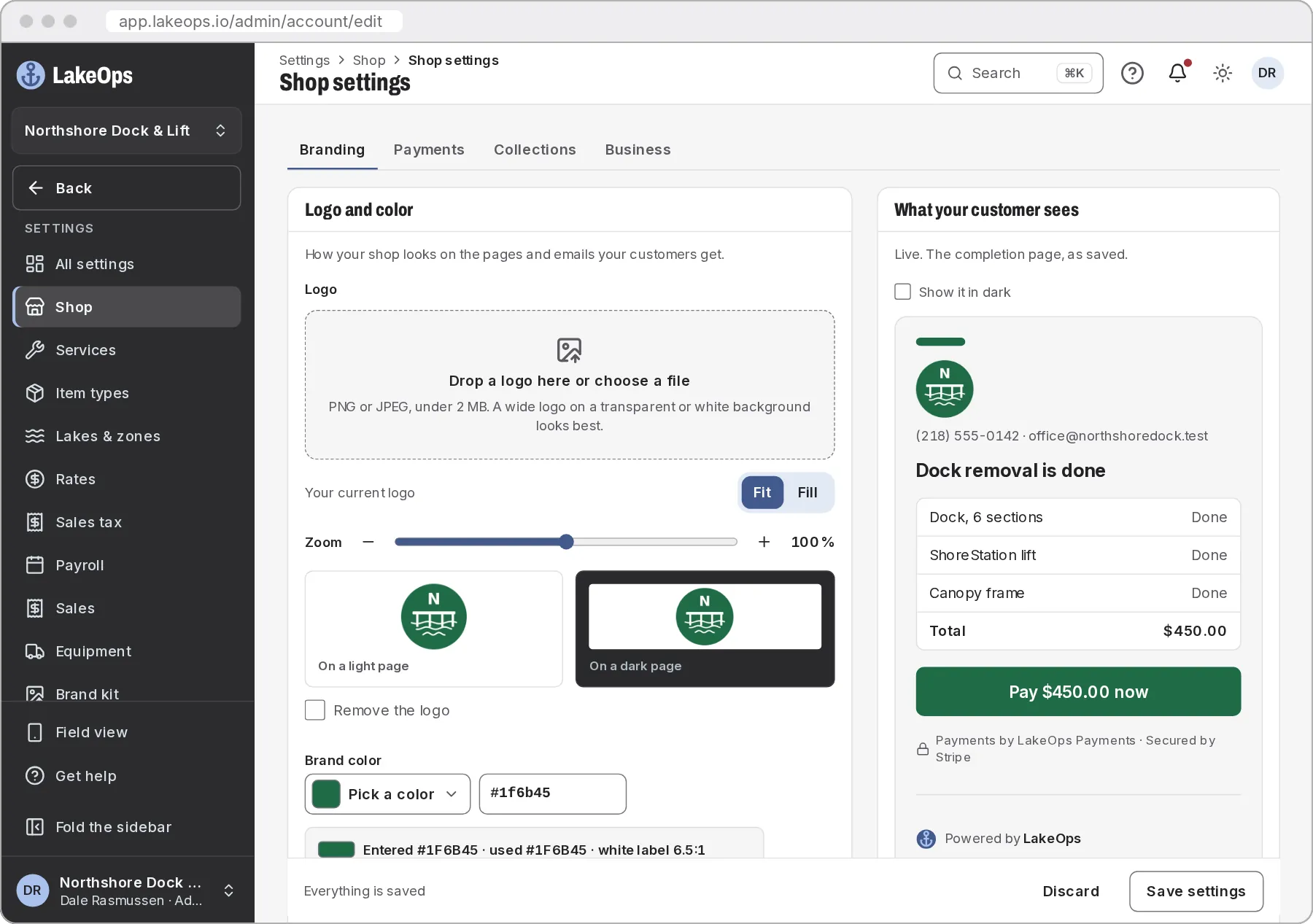
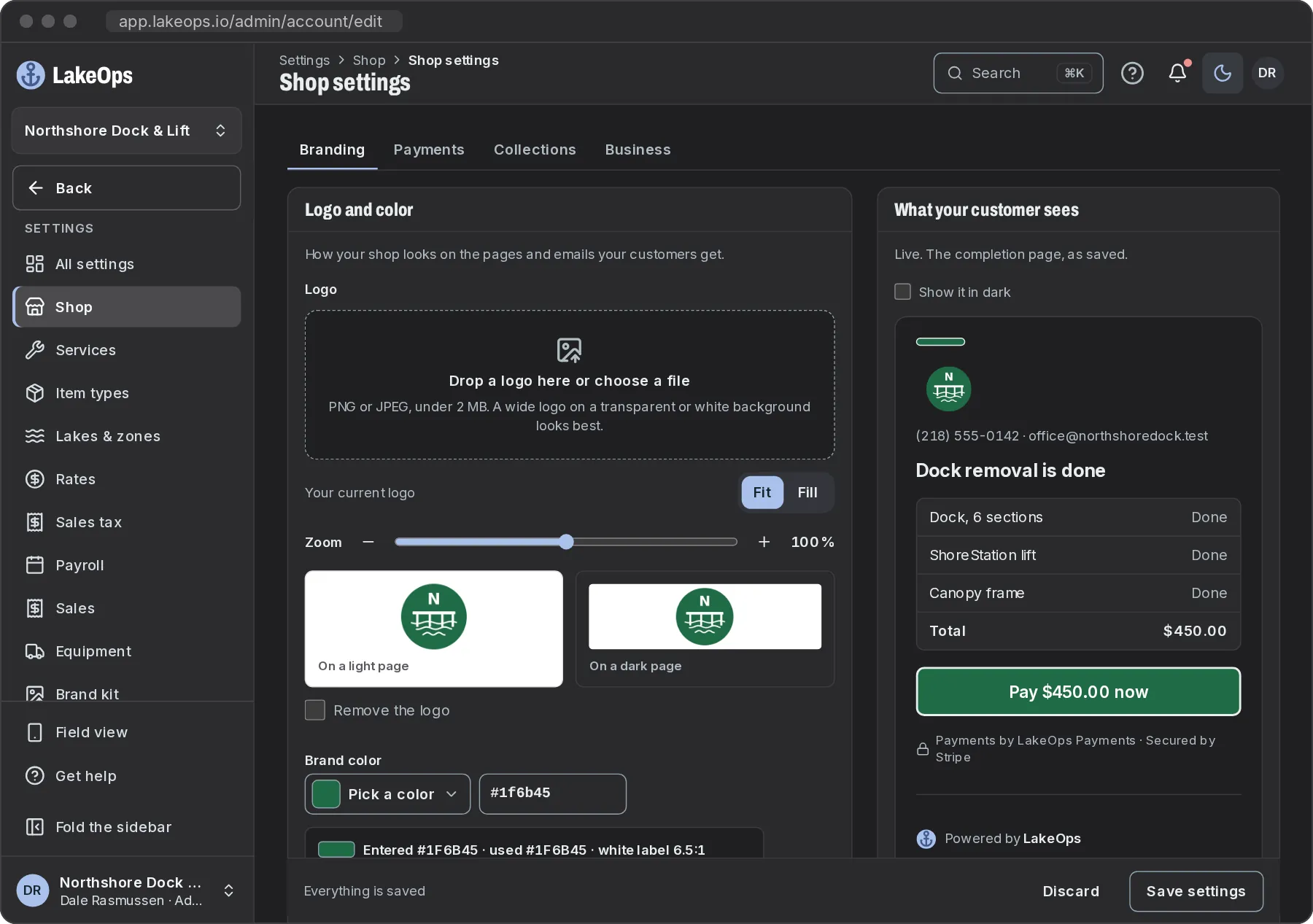
Your logo and color on what customers see
Set a logo and a brand color once in your account settings. They go on your quote, statement, receipt and completion emails, the pages customers pay and review on, and your request form. Account settings worth knowing about
-
Your name on Stripe checkout and card statements
With LakeOps Payments, the Stripe checkout page carries your logo and color, and the card statement shows your name. Your name on checkout, receipts and card statements
-
A badge for your own website
Download a Powered by LakeOps badge for your site and email signature in light, dark or black and white. The Powered by LakeOps badge
This is the face your customers see. The office and crew apps stay LakeOps; they are not rebranded.
Know where the money is
The record you keep for the season is also what you hand your bookkeeper.
-
Reports on the work and the money
What is finished, what is billed, what is outstanding, and the completed-work report for any stretch of the season. The completed-work report
-
Timesheets by person and by day
The crew’s timers become a timesheet you approve, with an overtime estimate beside each week. Timesheets: your crew’s week, by person and by day
-
Bring your list with you
Import your customers from the system or spreadsheet you use now, with the columns matched for you. Moving to LakeOps from other software
What you can add to LakeOps
POS
Add POS and the counter sells from the same catalog and the same customer list as your service work, so a lift sold on Friday is on the customer’s record when the install job is generated.
Inventory
Add Inventory and parts used on a job come out of stock when the job is completed.
Storefront
Add Storefront and a question from your listing lands in the same requests as the ones from your request form.
LakeOps Payments
Turn on LakeOps Payments and the email that bills a job carries a button to pay.
What it costs
Starts at $199 a month
That includes your first 100 properties, with unlimited users. The rest of the pricing is on the pricing page. POS, Inventory and Storefront are priced separately and added to this plan.
Already in every LakeOps account
At no extra charge: your product list with prices, multi-line quotes with parts and units on them, a deposit when the customer accepts a quote (with LakeOps Payments on), products added to a job, and customer credit kept from an overpayment.
Questions people ask
- Is there a free trial?
- No. You open the account yourself and set it up without paying, and nothing is charged until your first season generates work. Every account also has a practice company, a private company beside yours that nothing leaves, for trying something before you do it for real.
- Do I need POS, Inventory or Storefront to use LakeOps?
- No. LakeOps is the whole product for running installs, removals and billing. POS, Inventory and Storefront are for shops that also sell parts, lifts and boats, and you add them to your account when you want them.
- Does it replace my accounting software?
- No. LakeOps bills and collects, and sends a copy of your completed jobs to QuickBooks Online as a file you import. It does not do your books.
- Can my crews use it with no signal?
- Yes. The day’s work and the chart are on the phone before the boat leaves, and what the crew records waits on the phone and goes up on its own when there is signal.
Read more in the help center
More from LakeOps
Add to LakeOps
POS
$39 a month
Ring up counter sales for parts, lifts and units from your catalog, and take cash, check, a card or put it on account. Added to LakeOps.
See POS
Add to LakeOps
Inventory
$29 a month
Know what you have on the shelf and in each warehouse, what it cost, and every movement in and out. Added to LakeOps.
See Inventory
Add to LakeOps
Storefront
$19 a month
What you have for sale, on a page in your colors or on your own website, with questions landing in your inbox. Added to LakeOps.
See Storefront