The fall readiness checklist
Six checks before the first pull — list, season, crew, items, gear, and one habit agreed at the landing. All of it from a desk in late August.
· 5 min read
For dock and boat lift companies
LakeOps is software for companies that install and remove docks, boat lifts and shoreline equipment on lakes and rivers. Every section, lift, canopy and raft you service is tracked — pinned where it goes in the water and where it stacks for the winter — so the next crew picks up exactly where the last one stopped. It keeps working past the last bar of signal. $199 a month, everybody in the shop included.
No setup fee, no sales call, nothing to book — you're in within a minute and you're not charged until you generate your first season. Bring whatever runs the business now — a spreadsheet, an old customer list, a legal pad — and import your customers and properties straight in.
You’re not disorganized. You know your customers better than any software will. The trouble is that nobody else does — not the crew on the far side of the lake, not whoever answers the phone at four on a Friday, and not the kid who started Tuesday. Right now every job that goes right without you goes right because somebody guessed the way you would have. Here’s where that costs you.
Same customers, same lifts, same sections, in and out, year after year. In LakeOps the service plan for each property is what carries forward. You open a season and the work is already there — every customer, every piece, install and removal.
Right now the only thing connecting Tuesday to Thursday is somebody’s memory, and it usually travels as a text nobody sent. Every section, lift and canopy is tracked here. Thursday’s crew knows what Tuesday finished and what’s still waiting before they head out.
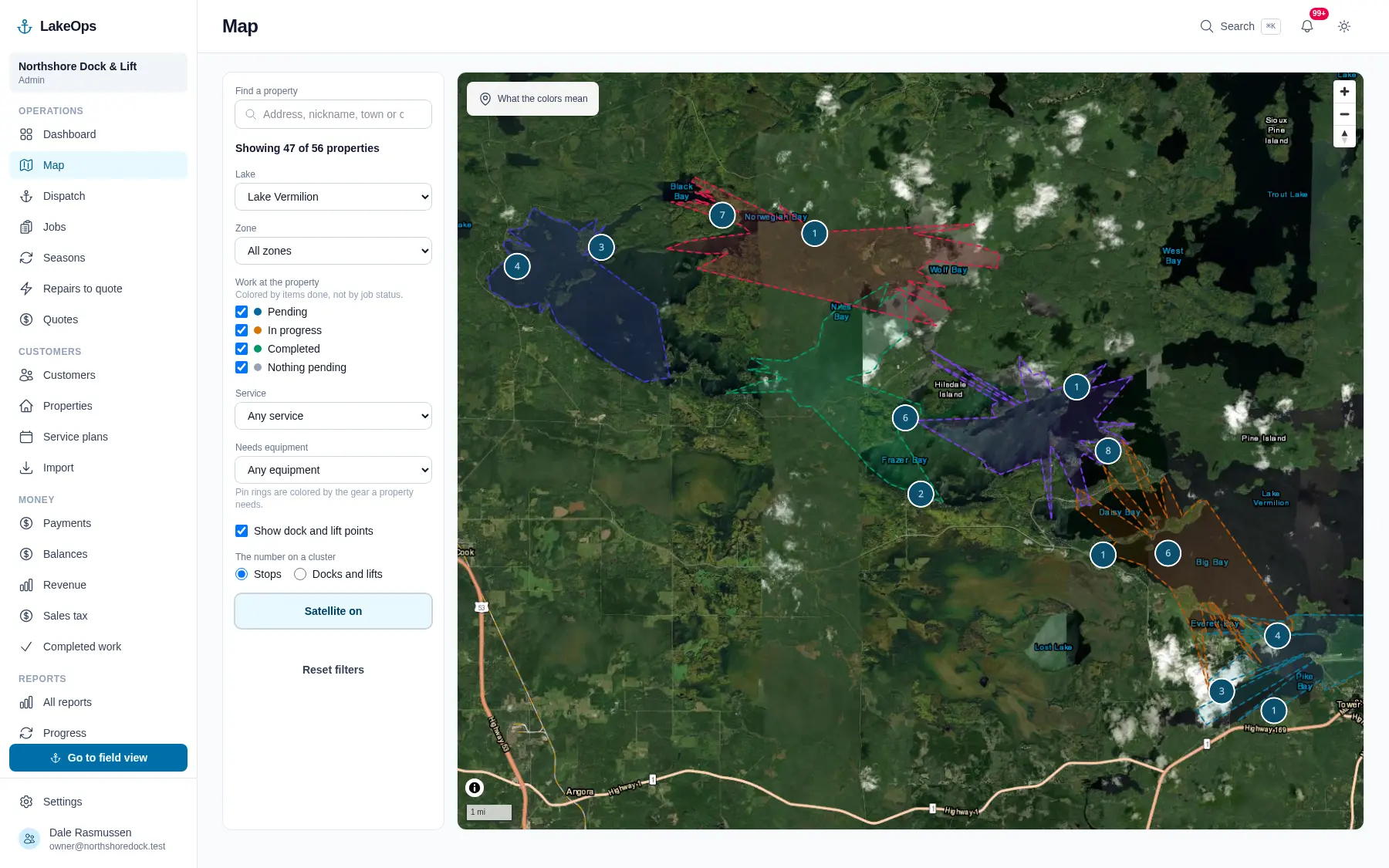
Ice-out can move three weeks from one year to the next. A north wind can shut the exposed shore by mid-morning. Half your customers call the week they arrive. That’s why there’s no calendar in LakeOps. You send a crew to part of the lake and they take whatever work is waiting there. If the weather turns, you move the crew and the work moves with them. Nothing has to be reassigned, and you always know what’s done and what’s still waiting.
On a lot of lakes your crews work with no signal for most of the day, most of the season. LakeOps keeps working anyway. The day loads onto the phone before they leave the landing. Everything they do out there — the pieces they set, the notes, the clock — is saved on the phone. When the signal comes back it all uploads on its own, photos too. Nobody has to remember to sync anything.
The record
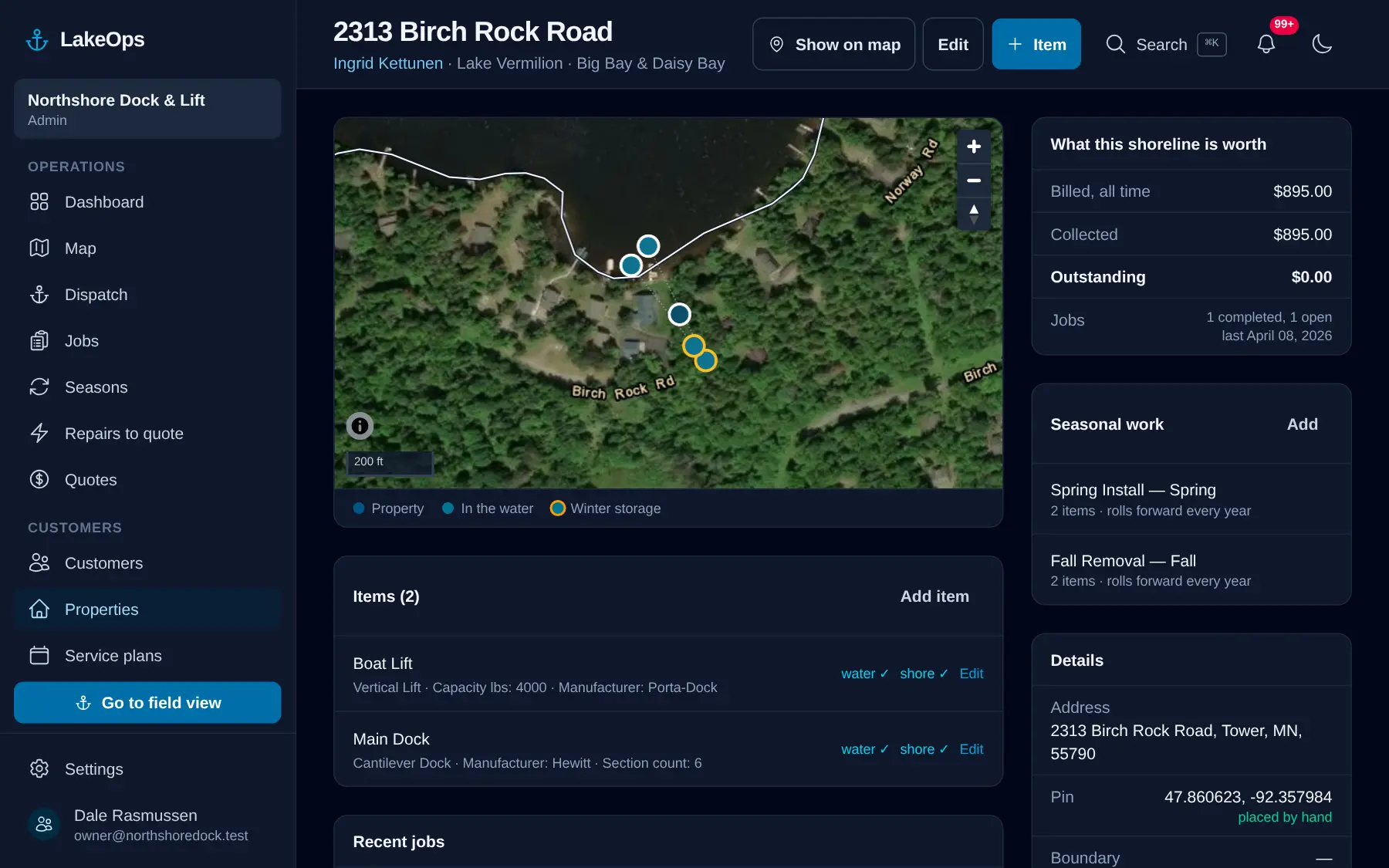
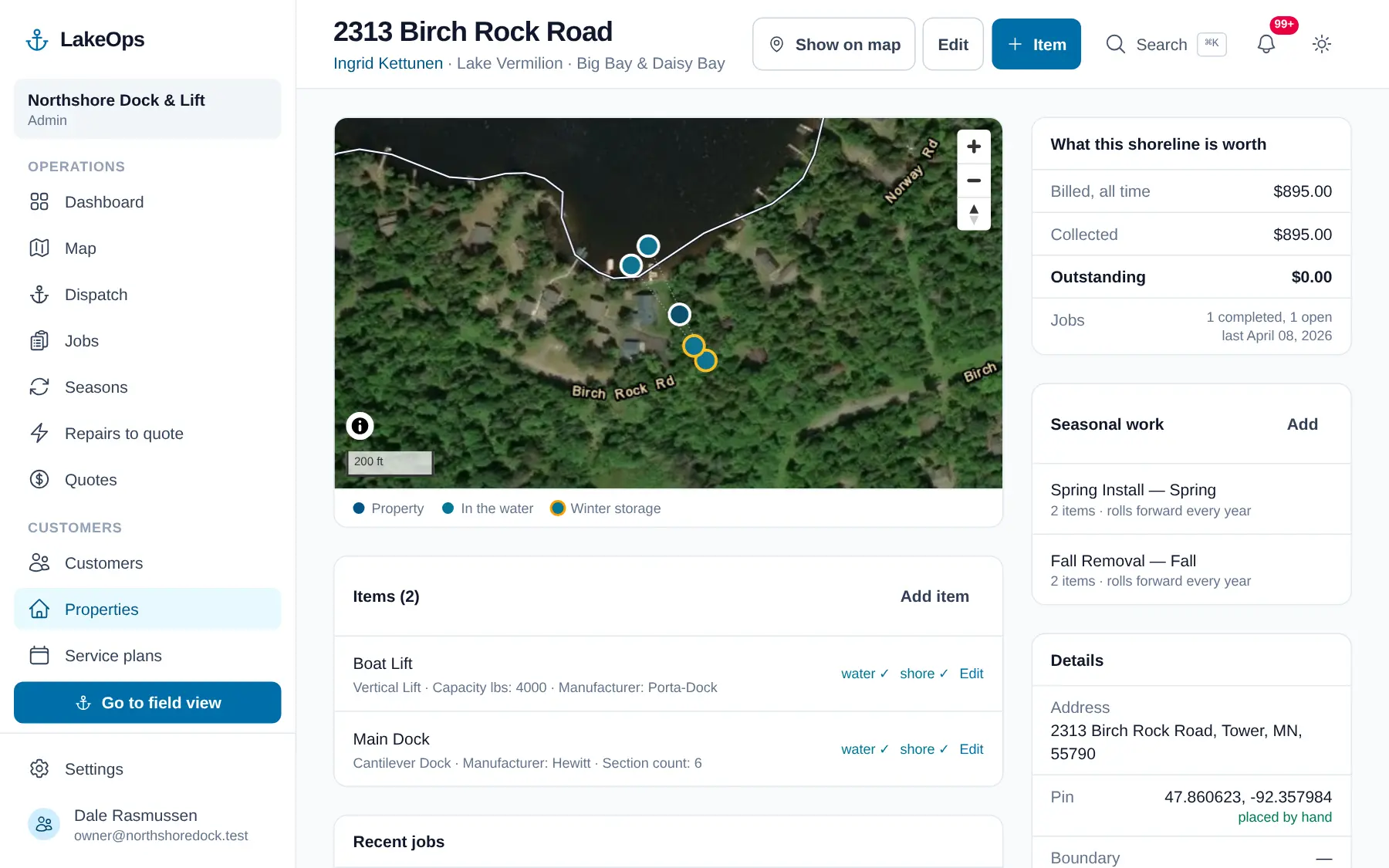
A property isn’t an address. It’s six dock sections, a lift, a canopy and a swim raft, and each piece has two places it lives: the spot it sits in the water, and the spot it stacks in October. Drop those pins once and a crew member who’s never seen the place can find every piece of it. Add a photo of each and they can see what it’s supposed to look like when they’re done.
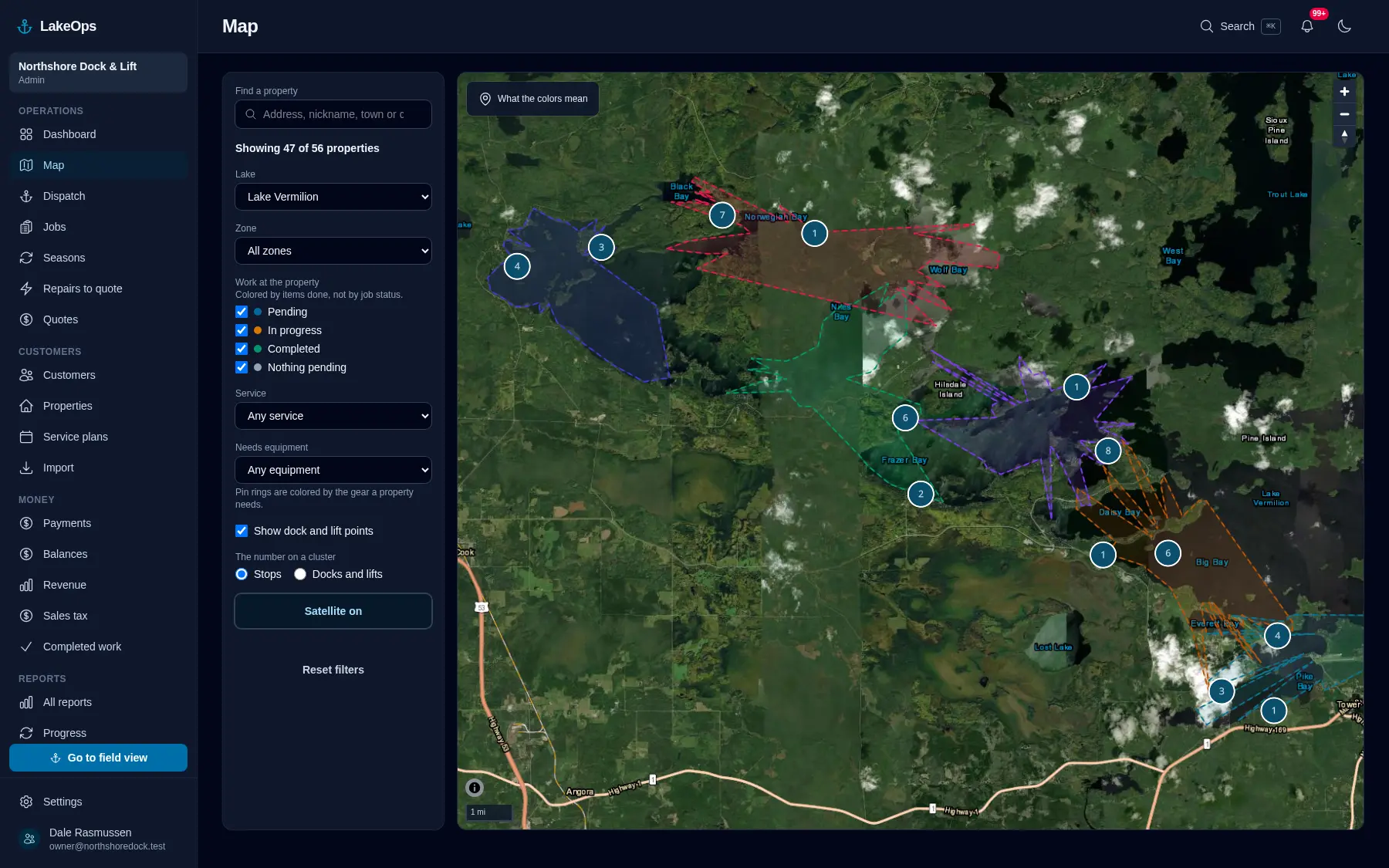
On the water
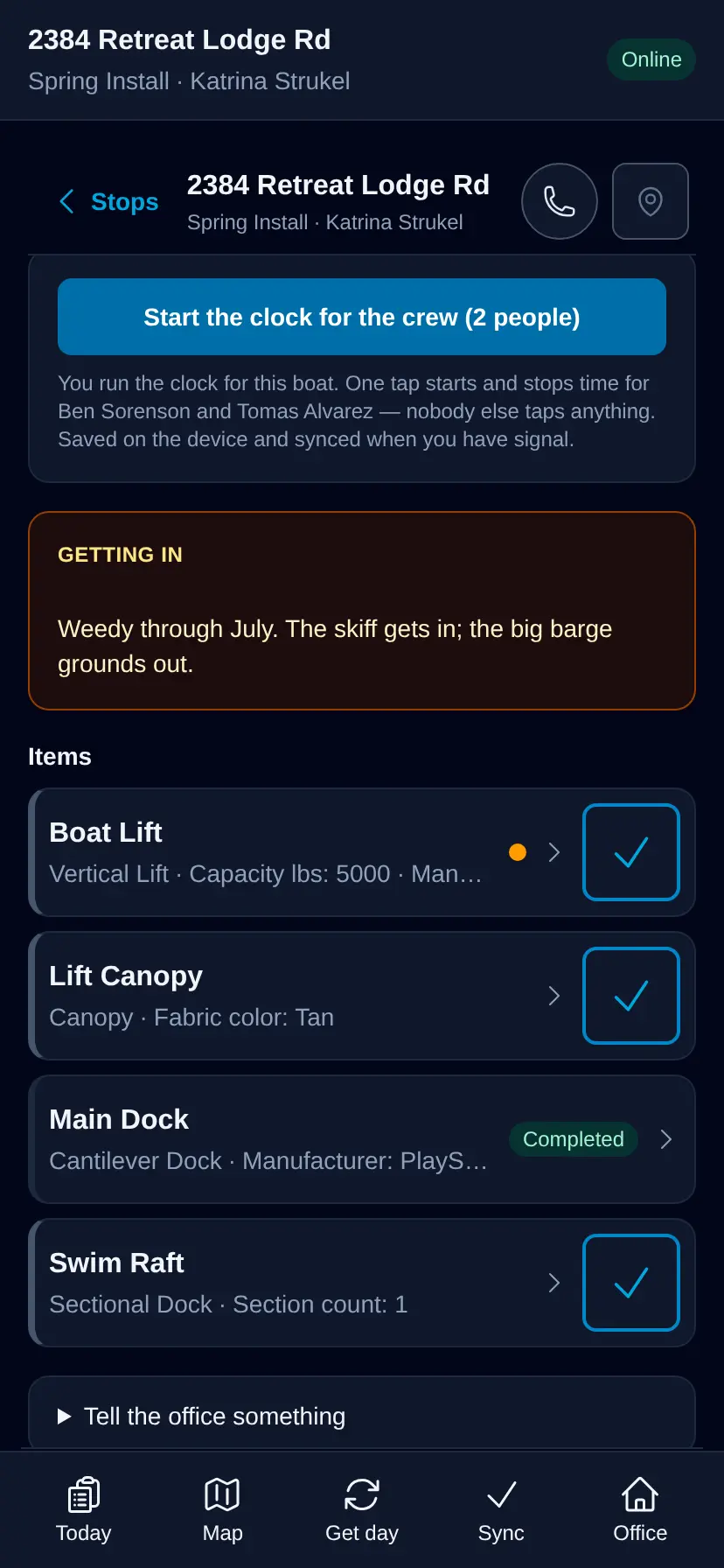
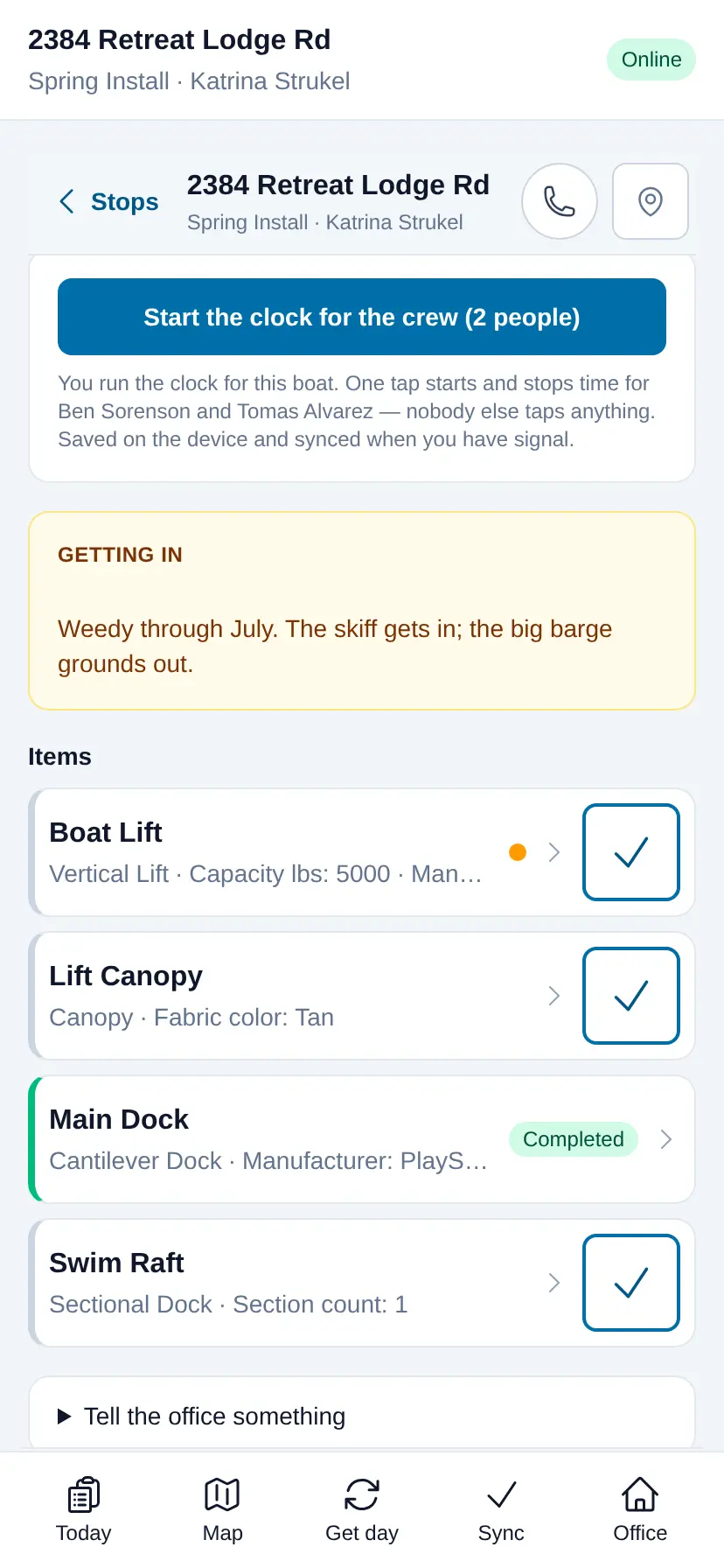
Big buttons, sized for wet gloves and one hand on a moving boat. Each piece gets marked the moment it’s set, in the water or up on the shore, by whoever has the phone. The crew sees the notes and photos for that piece before they set it, so a twelve-section dock goes in the way that customer wants it — the same way, whoever’s in the boat that day. Nothing has to be remembered and typed in later.
Sending boats out
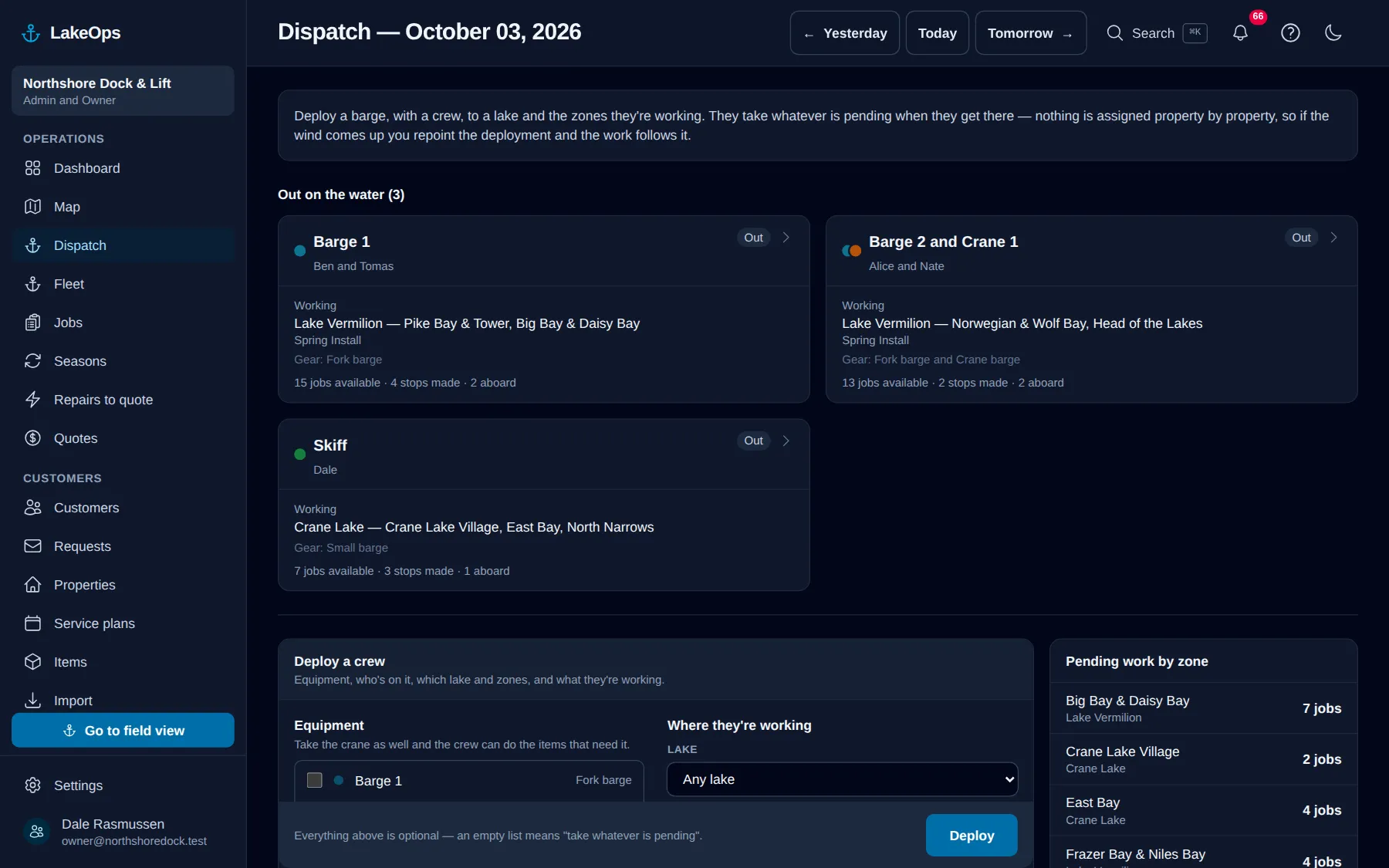
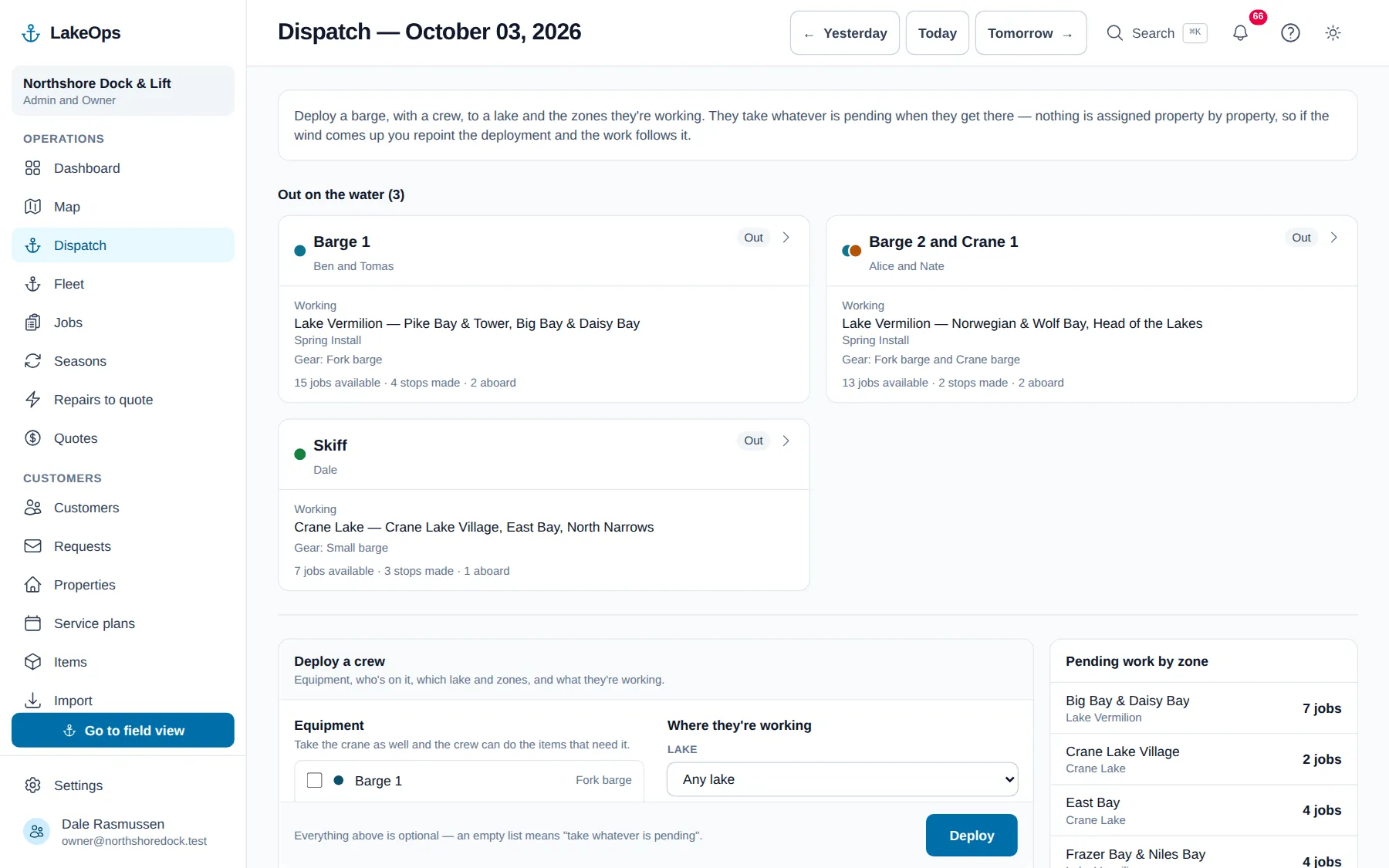
Barge 1, two crew, the north arm, installs. That’s the whole setup, and it takes a minute. The crew gets everything still waiting on that water and works down it, and every property on the list is its own set of pieces. How much they get through depends on the weather and what they find when they get there — the same as it always has.
Getting paid
The job closes, it’s priced off your own price list, and the customer gets an email listing exactly what was done at their place — six sections in, lift and canopy set — with the crew’s photos and a button to pay.
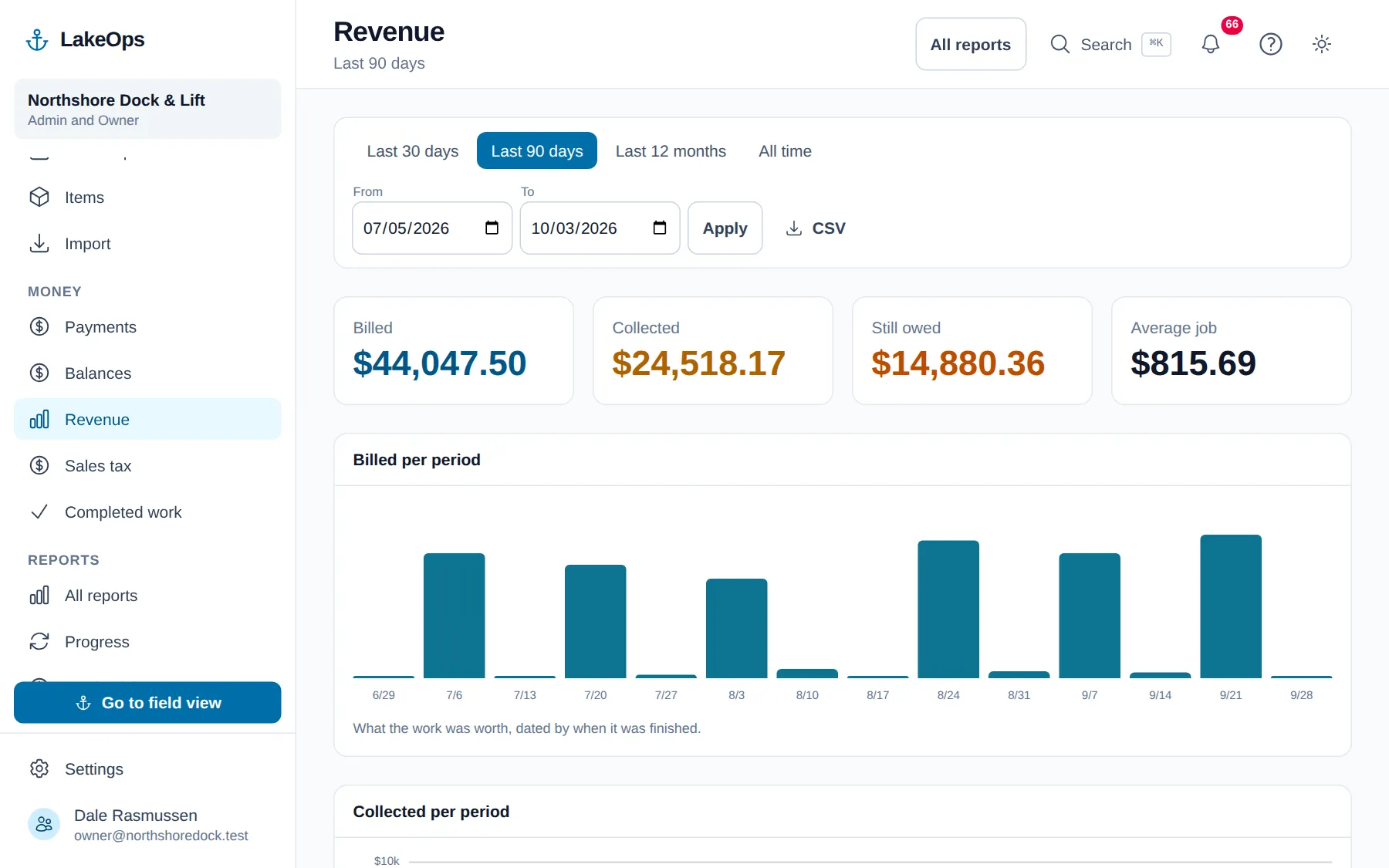
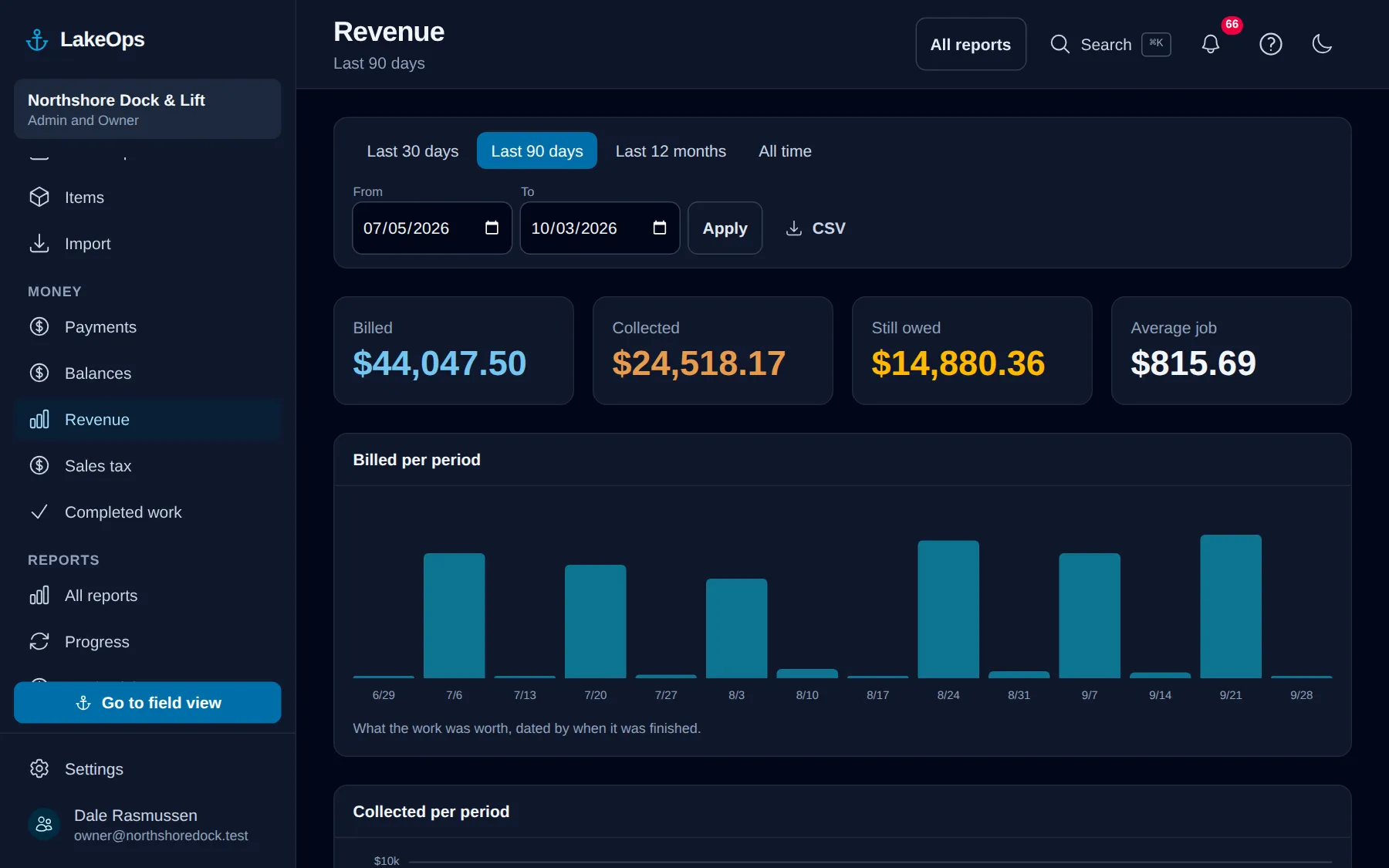
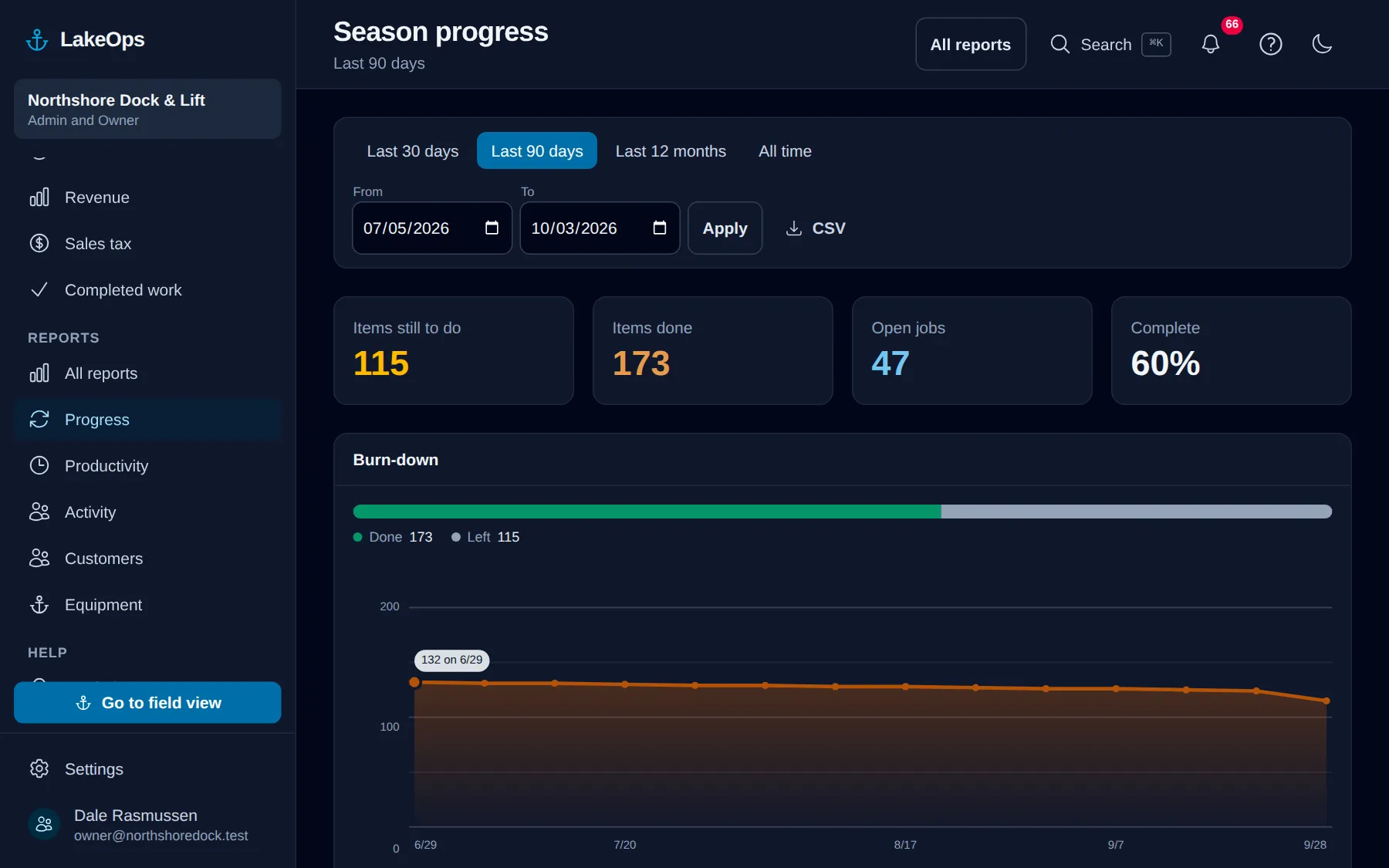
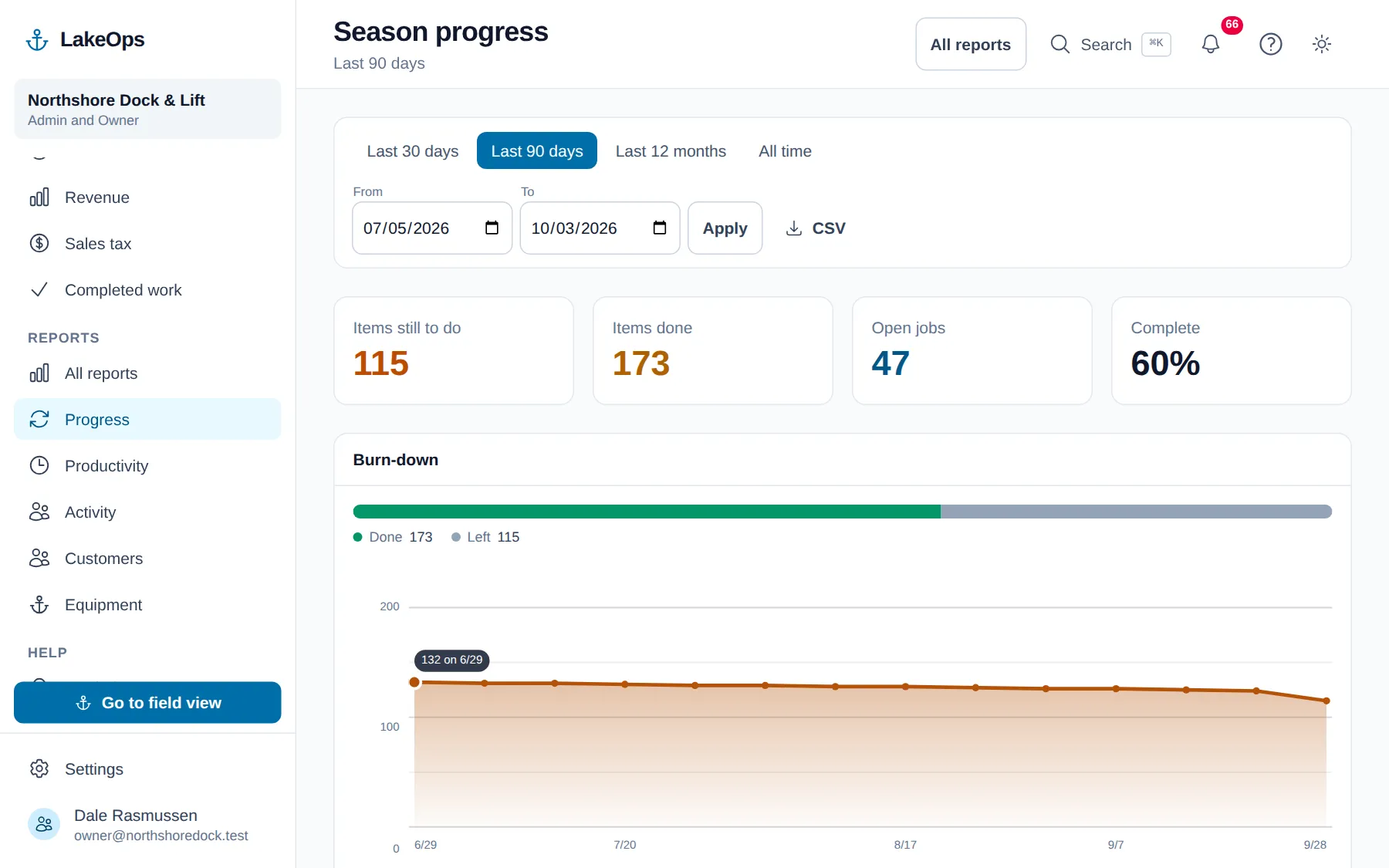
Reports built out of what your own crews recorded — not out of anybody’s estimate. All of them export.
How much is left, how fast it’s going down, and which zones it’s sitting in.
Billed against collected, by month and by service — and who still owes you, oldest first.
Minutes per piece, per stop, per person, off your crews’ own clocks. It’s the number a season gets priced from, and almost nobody has it.
Customers whose equipment is still in the lake with no service plan for next season. That’s a phone call.
LakeOps is a small shop and it’s going to stay one. Email gets answered by the people who wrote the software, not a queue — and that doesn’t change in the middle of install season.
One thing. The first time a phone opens a lake, the map has to come down once over a connection — after that it draws itself on the device. Everything a crew records out there, photographs included, is kept on the phone and sent when the bars come back.
Every report exports to CSV, and the completed-work report prints. Every season of history you put in is yours, not ours, and nothing in here is built to make leaving hard.
Six checks before the first pull — list, season, crew, items, gear, and one habit agreed at the landing. All of it from a desk in late August.
· 5 min read
Ice-in is more predictable than ice-out and punishes lateness harder. Plan to the early tail, not the average, and set the last-pull deadline.
· 5 min read
The August item audit: every piece named, flagged for the crane, noted for a stranger, with its winter storage point placed. October never guesses.
· 5 min read
Create the account, load one lake, and send a boat at it. You’re not charged until your first season generates work.
No card, no sales call, nothing to book — you're in within a minute. Send us a question if you'd rather ask a person first.