Your book
Every customer, every piece, and the way to fix forty of them at once
A dock company’s book is a few hundred properties and a few thousand pieces, and it is wrong in small ways all the time: a lake renamed, a zone redrawn, thirty lifts that belong to a customer who sold up. LakeOps is built for a book that gets corrected — in bulk, without losing a season of history, and without ever being locked in.
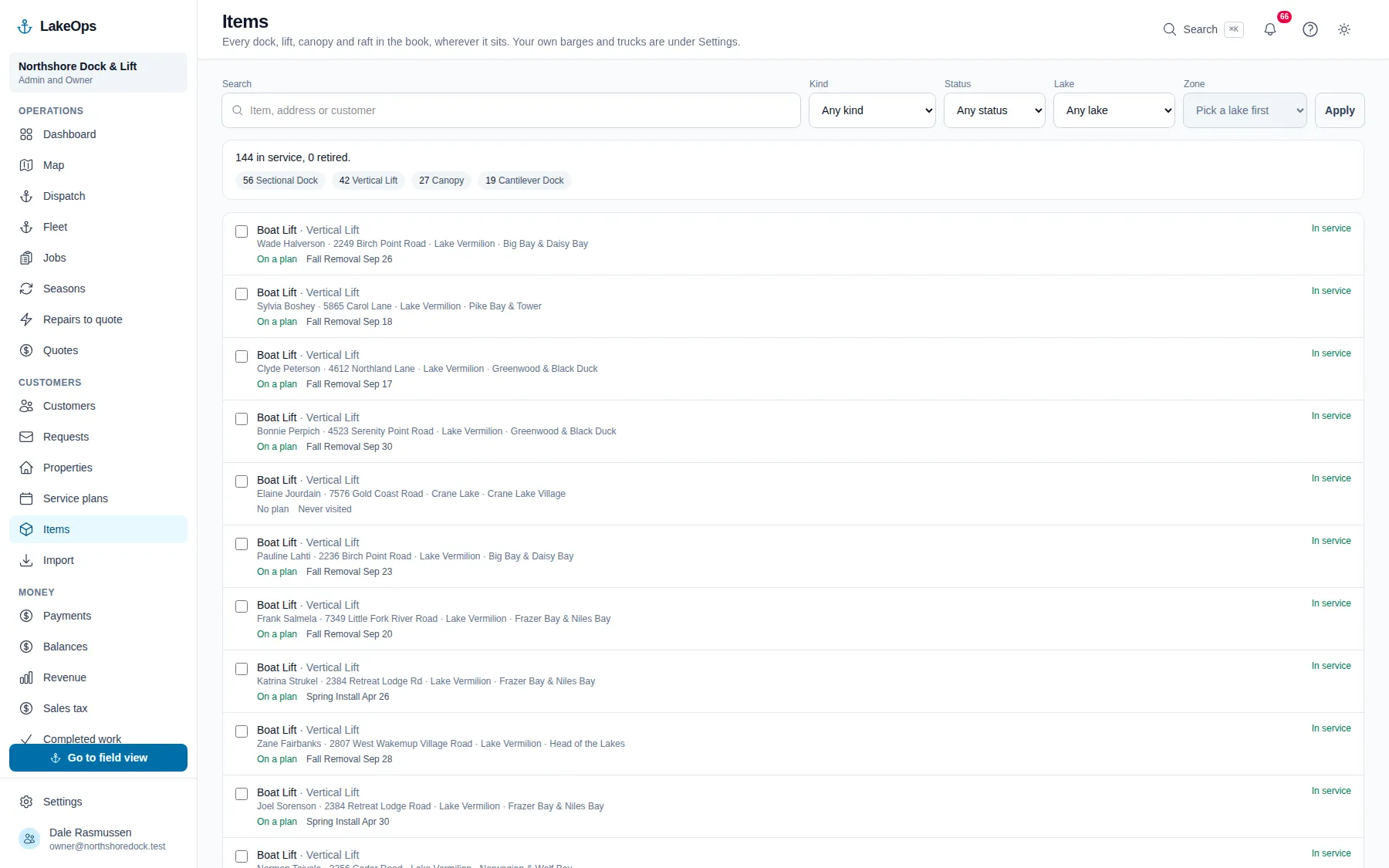
Change forty rows at once
Tick the properties and move them to a lake, a zone or a tax group in one press. Tick the lifts and retire them, put them back in service, or change what kind of thing they are. “Apply to all” applies to exactly what you filtered — on a customer’s page it means that customer’s thirty, never the whole lake’s — and it says so before you press it.
- Move properties between lakes, zones and tax groups in bulk
- Retire or restore equipment in bulk, or change its kind
- Moving a property to another lake clears its zone, because a zone belongs to one lake
- A retirement pulls the piece off next season’s plans and off pending work, one at a time, the way it would by hand
Nothing is deleted. Things are retired, or archived, and both come back.
A lift a customer sold still owns five seasons of your photos and notes, so it retires rather than disappears, and its history stays put. A customer you archived by mistake is one press from restored, along with everything that hangs off them. The screen that puts things back is under Settings, and it refuses the one restore that would leave you worse off — a property put back onto a lake that is still archived — by name, so you know what to restore first.
- Retire a piece and its record, its photos and its findings stay
- Archive a customer, a lake, a zone or a service and put it back later — whole
- A restore that would leave a record unreachable is refused and says what to restore first
- Archiving and restoring are their own permission, so the person who can edit a name is not automatically the person who can take a customer off the books
Your data leaves with you
One press under Settings builds a zip with a spreadsheet per table — every customer, property, piece, service plan, season, job, timer, price, payment and tax line — and the ids are kept, which is the point. A dump whose references have been replaced with names is a pile of spreadsheets; one with the ids intact can be loaded back into anything, here or somewhere else. A note inside says which column joins to which.
- Every table, every column, every row, with the ids intact
- A README in the zip that says how the files join
- Photos are the one thing not in it — they are files, not rows, and we get those to you on request
- Owner-level, because it is every customer’s contact details in one file
Questions about this
- Is my data locked in?
- No. Settings has an “Export everything” button that gives you a zip with one spreadsheet per table, ids kept, so the files can be loaded back into anything. Nobody has to ask us for it. Every report exports to CSV on its own as well.
- What if somebody deletes the wrong thing?
- They can’t, quite. Equipment retires, customers and lakes archive, and both are reversible from one screen under Settings with everything that hung off them intact. The one thing that cannot be undone is closing the whole account, which has its own screen and its own grace period.
- Can I fix a lot of records at once, or do I have to open each one?
- At once. Tick the rows — or apply to everything you filtered — and move properties between lakes, zones or tax groups, or retire, restore or re-type equipment. It applies to exactly what you can see and tells you how many before you press it.
Put your own shoreline on the screen
Create the account yourself, import your customer list, drop a few pins, and you’re looking at your own water this afternoon. No sales call, no setup fee, and nothing charged until your first season generates work.
No card, no sales call, nothing to book — you're in within a minute. Send us a question if you'd rather ask a person first.