Payment mode, part of LakeOps
LakeOps Payments
The job closes, the customer gets an email with the work and a button to pay. The money goes to your bank, with your name on the page and on the card statement.
A 1% service fee
Open your LakeOps account, then turn LakeOps Payments on in Settings when you are ready to be paid online.
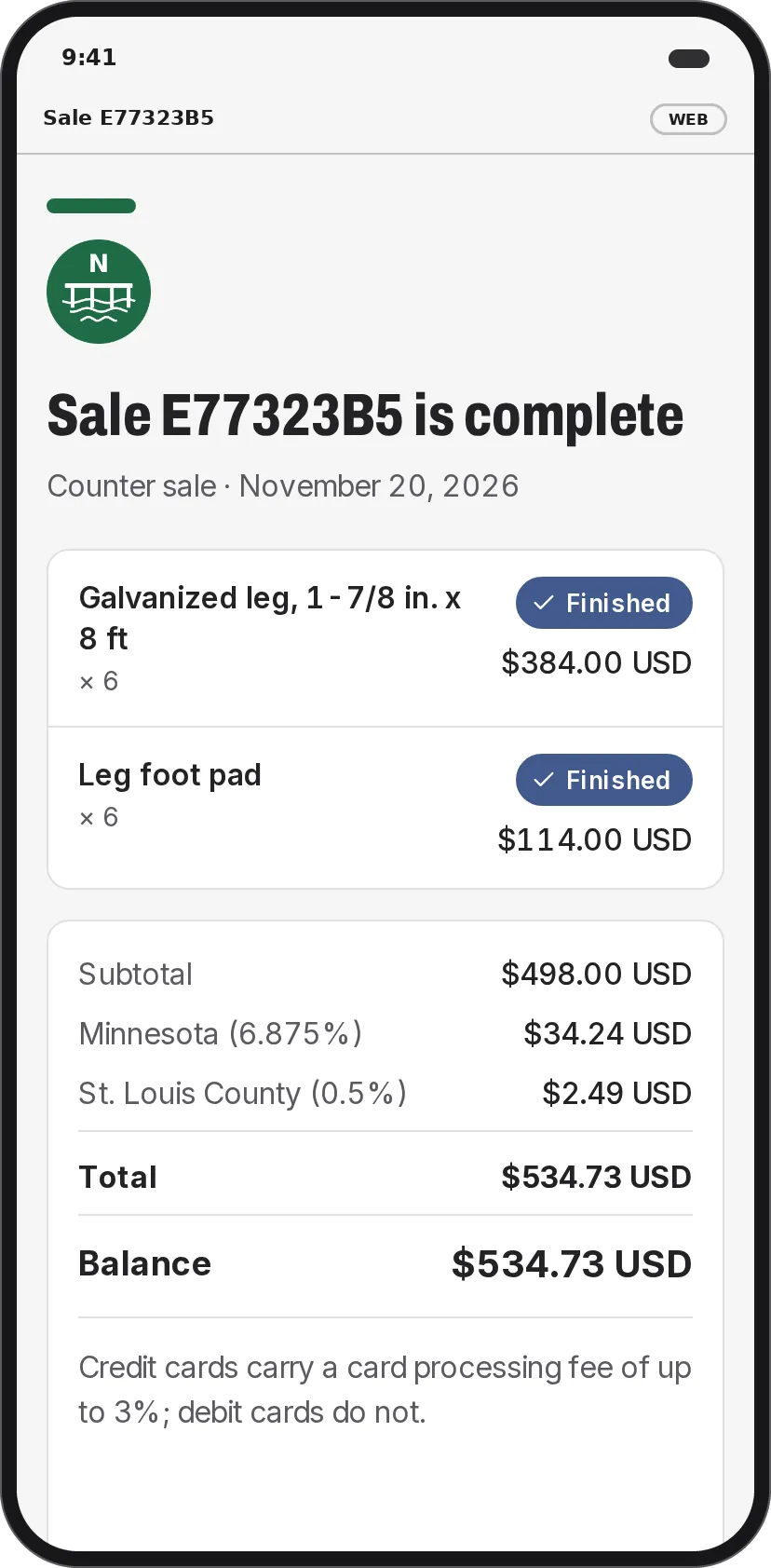
LakeOps Payments is part of LakeOps and is used from your LakeOps account.
LakeOpsWho it is for
- Any LakeOps shop that would rather be paid the week the work is done than at the end of the month.
What it does
Get paid
You bill and collect from LakeOps without building an invoice.
-
Pay from the email
The completion email has the work, the photos and a button to pay by card or bank. LakeOps Payments: letting customers pay online
-
Deposits on a quote
A customer can pay a deposit when they accept a quote. LakeOps Payments: letting customers pay online
-
Reminders and late fees
Turn on reminders and late fees and they go out on the schedule you set, and a statement shows what a customer owes. Chasing late payers automatically
-
Refunds, and who pays the fees
Refund from LakeOps, and choose whether the card fee is passed to the customer. Refunds, and who pays the fees
Your name on it
Customers see your company on the way through.
-
Your logo and color on the pay page
The page a customer pays on carries your logo and brand color. Account settings worth knowing about
-
Your name on Stripe checkout and card statements
Stripe’s own checkout page carries your logo and color, and the card statement shows your name. Your name on checkout, receipts and card statements
-
Your own web address
With your Storefront on your own address, such as shop.yourcompany.com, the pay links in your completion, statement and quote emails open on it, and customers come back to it from Stripe checkout. Your Storefront on your own web address
Works with the rest of LakeOps
What it costs
A 1% service fee
On each payment made through LakeOps Payments, shown as its own line, and standard card and bank rates apply. The money goes to your bank. Bill your customers the way you do today and there is no service fee at all.
Already in every LakeOps account
At no extra charge: your product list with prices, multi-line quotes with parts and units on them, a deposit when the customer accepts a quote (with LakeOps Payments on), products added to a job, and customer credit kept from an overpayment.
Questions people ask
- Where does the money go?
- To your own Stripe account and from there to your bank. LakeOps takes a 1% service fee on each payment, shown as its own line.
- Do I have to use it?
- No. You can record payments by hand, or bill the way you do today, and pay no service fee.
More from LakeOps
The core
LakeOps
Starts at $199 a month
The season, the map, the crew’s phone and the bill, for a company that installs and removes docks and lifts. The core that every other product is added to.
See LakeOps
Add to LakeOps
POS
$39 a month
Ring up counter sales for parts, lifts and units from your catalog, and take cash, check, a card or put it on account. Added to LakeOps.
See POS
Add to LakeOps
Inventory
$29 a month
Know what you have on the shelf and in each warehouse, what it cost, and every movement in and out. Added to LakeOps.
See Inventory