What your customers get
They ask for service from a link. They pay from an email. They never make a password.
Lake-house owners will not maintain a login for a dock company. So nothing here asks them to: every page a customer sees opens from a link in an email, or from your QR code on the truck, and does exactly one thing.
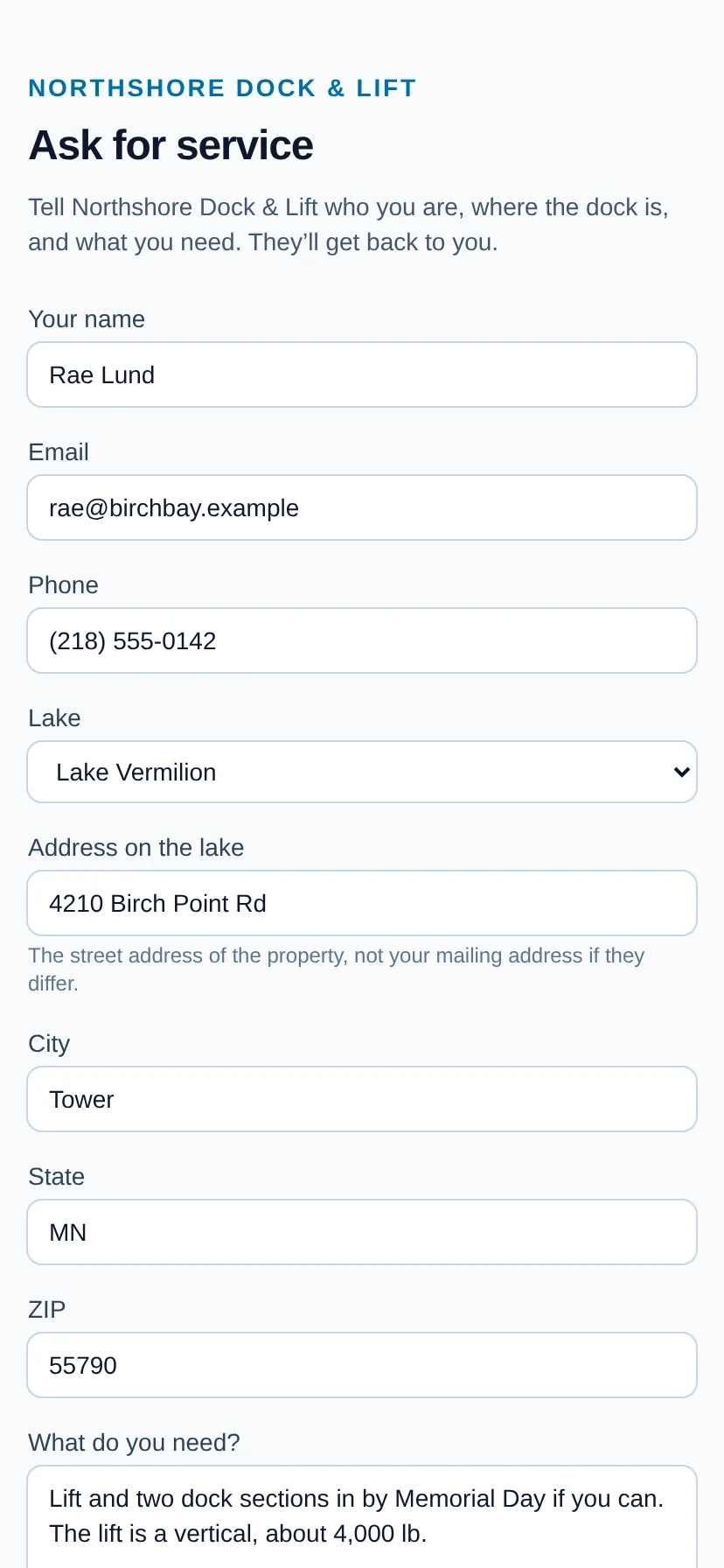
A request form that is yours: on a link, a QR code, or inside your website
One public form per shop. Put the link in your email signature or a Facebook post, the QR code on the truck, the barge and the invoice, or paste three lines into your website and the form appears there. A request lands in your office with a bell and an email, and becomes a customer and a property the moment you accept it.
- Ties to your account by a signed address, so it can only ever land on your book
- Guarded like a public form should be: a honeypot and an hourly limit per address
- Nothing enters your book until you press Accept
The bill arrives with a pay button, and the receipt follows
When the crew finishes, the customer gets an email: what was done, piece by piece, the photos, the price with tax on its own line, and — if you take payments through LakeOps — a button that pays it. Their card can stay on file for next season. A part payment gets a receipt that says what is left.
- The email is the bill. There is no invoice to number, file or chase.
- A text with the same pay link, for shops on LakeOps Payments, once texting is switched on for your account
- The statement, when there is more than one job open, from the same kind of link
Their own page of everything you keep on the water
Every property they have with you and every piece on it, with one sentence each — in the water since May 12, out for the season since October 3 — the photos from the last visit, and any flag the crew raised, in the crew’s words. It links from the completion email and from their bill.
- Answers “is the lift in yet?” before they phone
- A flagged piece says so, and unsafe reads “do not use until this is fixed”
- Expires with the season, like every link that shows an address and a photo
A review, asked for at the right moment
Paste your Google and Facebook review links once and switch it on. Every customer email ends with one line pointing at a page on our site that offers both — asked on the day the work is done, which is the day people say yes.
- Off by default, and silent when off
- Never on the declined-card email
- The page is ours, so the copy and the choice are
Questions about this
- Do my customers need an account or an app?
- No. Every page opens from a link; the link is the credential and it opens exactly one page. There is nothing to install and no password to reset.
- How long do the links last?
- Ninety days from the email, and you can cut one off sooner from the customer’s page. Because these pages show addresses and photographs, that is the point: a fresh email makes a fresh link.
- Can I try it as a customer would?
- Yes. Sign up — the first season is free — add yourself as a customer with your own email, complete a job for that property, and follow the links the email carries. The demo shop holds its emails by design, so use your own account for this one; in the demo, the office can open what the customer sees from the job’s money panel.
Put your own shoreline on the screen
Create the account yourself, import your customer list, drop a few pins, and you’re looking at your own water this afternoon. No sales call, no setup fee, and nothing charged until your first season generates work.
No card, no sales call, nothing to book — you're in within a minute. Send us a question if you'd rather ask a person first.